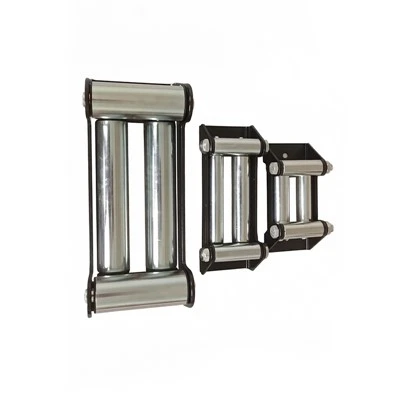
Troubleshooting a wireless ATV winch can be a daunting task, especially if you're not familiar with the inner workings of these powerful machines. As a supplier of high-quality wireless ATV winches, I've encountered a wide range of issues over the years. In this blog post, I'll share some common problems and their solutions to help you get your winch up and running smoothly.


Understanding the Basics of a Wireless ATV Winch
Before we dive into troubleshooting, let's briefly review how a wireless ATV winch works. A wireless ATV winch consists of several key components, including a motor, a gearbox, a drum, a cable, and a wireless remote control. The motor provides the power to turn the drum, which winds or unwinds the cable. The gearbox reduces the speed of the motor and increases the torque, allowing the winch to pull heavy loads. The wireless remote control allows you to operate the winch from a distance, providing convenience and safety.
Common Problems and Solutions
1. Winch Not Responding to Remote Control
One of the most common problems with wireless ATV winches is that they don't respond to the remote control. This can be caused by several factors, including a dead battery in the remote control, a weak signal between the remote control and the winch, or a problem with the winch's receiver.
Solution:
- First, check the batteries in the remote control. Replace them if they are low or dead.
- Make sure there are no obstacles between the remote control and the winch that could block the signal.
- If the problem persists, try resetting the winch's receiver. This can usually be done by disconnecting the winch's power supply for a few minutes and then reconnecting it.
2. Winch Motor Not Running
If the winch motor doesn't run when you press the remote control, there could be a problem with the electrical system. This could be due to a blown fuse, a loose connection, or a faulty motor.
Solution:
- Check the winch's fuse. If it's blown, replace it with a fuse of the same amperage.
- Inspect the electrical connections to make sure they are tight and free of corrosion.
- If the motor still doesn't run, it may be faulty. In this case, you may need to replace the motor or have it repaired by a professional.
3. Winch Cable Not Winding or Unwinding Properly
If the winch cable doesn't wind or unwind properly, it could be due to a problem with the drum or the cable itself. This could be caused by a kink in the cable, a jam in the drum, or a problem with the gearbox.
Solution:
- Check the cable for kinks or damage. If you find a kink, try to straighten it out. If the cable is damaged, you may need to replace it.
- Inspect the drum for any signs of jams or blockages. If you find a jam, carefully remove it.
- If the problem persists, it could be a problem with the gearbox. In this case, you may need to have the gearbox repaired or replaced.
4. Winch Overheating
If the winch overheats during use, it could be due to overloading, a problem with the motor, or a lack of proper ventilation.
Solution:
- Make sure you're not overloading the winch. Check the winch's rated capacity and make sure you're not exceeding it.
- Allow the winch to cool down before using it again. If the winch continues to overheat, it could be a problem with the motor. In this case, you may need to have the motor inspected or replaced.
- Ensure that the winch has proper ventilation. Make sure there are no obstructions around the winch that could block the airflow.
Preventive Maintenance
To avoid problems with your wireless ATV winch, it's important to perform regular preventive maintenance. Here are some tips to keep your winch in good condition:
- Clean the Winch: Regularly clean the winch to remove dirt, debris, and corrosion. Use a mild detergent and a soft brush to clean the winch's components.
- Lubricate the Winch: Lubricate the winch's moving parts, such as the gearbox and the drum, to reduce friction and wear. Use a high-quality lubricant recommended by the winch manufacturer.
- Inspect the Cable: Regularly inspect the winch cable for signs of wear, damage, or fraying. If you find any problems, replace the cable immediately.
- Store the Winch Properly: When not in use, store the winch in a dry, protected place. Cover the winch to prevent dust and moisture from getting inside.
When to Seek Professional Help
While many problems with wireless ATV winches can be solved with a little troubleshooting, there are times when it's best to seek professional help. If you're not comfortable working on the winch or if you're unable to diagnose and fix the problem, it's a good idea to take the winch to a professional mechanic or winch repair shop. They have the tools and expertise to diagnose and fix complex problems with your winch.
Conclusion
Troubleshooting a wireless ATV winch can be a challenging but rewarding experience. By understanding the basics of how a winch works and following the tips and solutions outlined in this blog post, you can keep your winch in good condition and avoid costly repairs. If you have any questions or need further assistance, don't hesitate to contact us. We're here to help you get the most out of your wireless ATV winch.
If you're in the market for a new wireless ATV winch, we offer a wide range of high-quality products, including Rescue Winch, ATV Trailer Winch, and ATV Electric Winch. Our winches are designed to provide reliable performance and durability, making them the perfect choice for any ATV enthusiast. Contact us today to learn more about our products and to discuss your specific needs.
References
- Manufacturer's manuals for wireless ATV winches
- Industry best practices for winch maintenance and troubleshooting